Now on iOS, Android & the web

Every recipe you love,
in one place

Save from any recipe site, TikTok, Instagram, or Facebook. Cook step-by-step, plan your week, and share your collection with the people you cook with.

Scroll

Everything from the link
to the dinner table

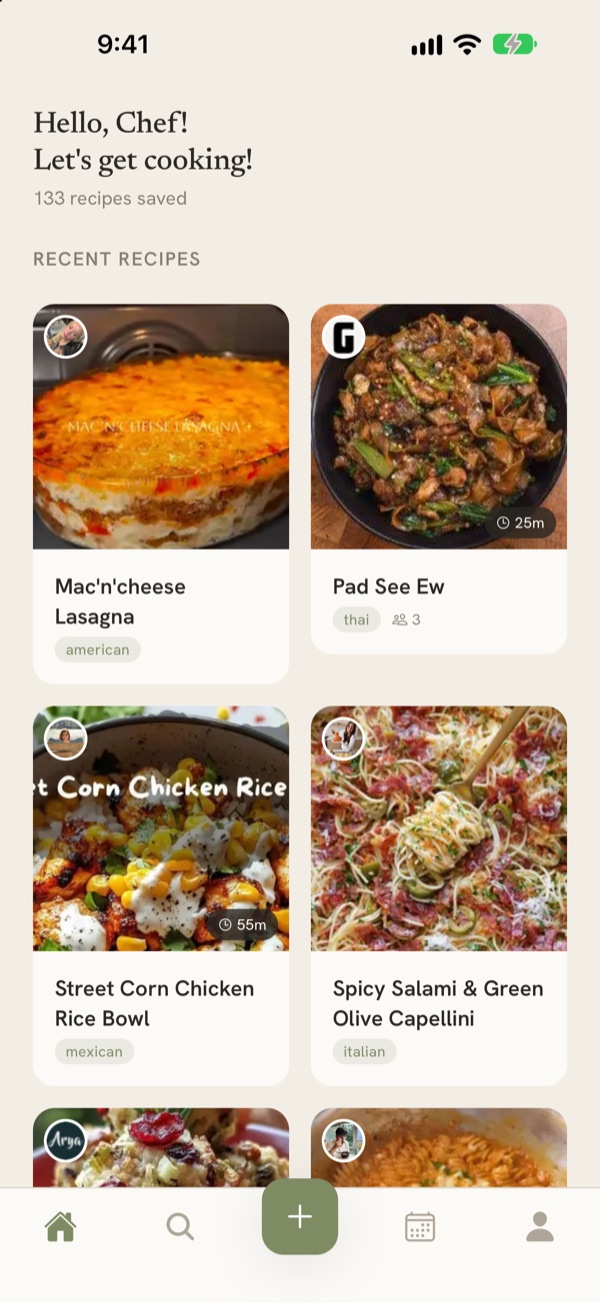
Save a recipe from anywhere, cook from it hands-free, plan your week around it, and keep it all in sync across your phone and the web.

Import from any URL

Paste a link from any cooking website — AllRecipes, Serious Eats, Bon Appétit, and thousands more. The app handles the rest.

Recipes from social

Found it on TikTok, Instagram, or Facebook? Share the post to the app and paste the caption — the ingredients and steps get pulled out for you.

Write your own

Add family recipes by hand — ingredients, steps, a photo of your own, and nutrition if you want it. Not everything worth cooking is online.

Cook mode

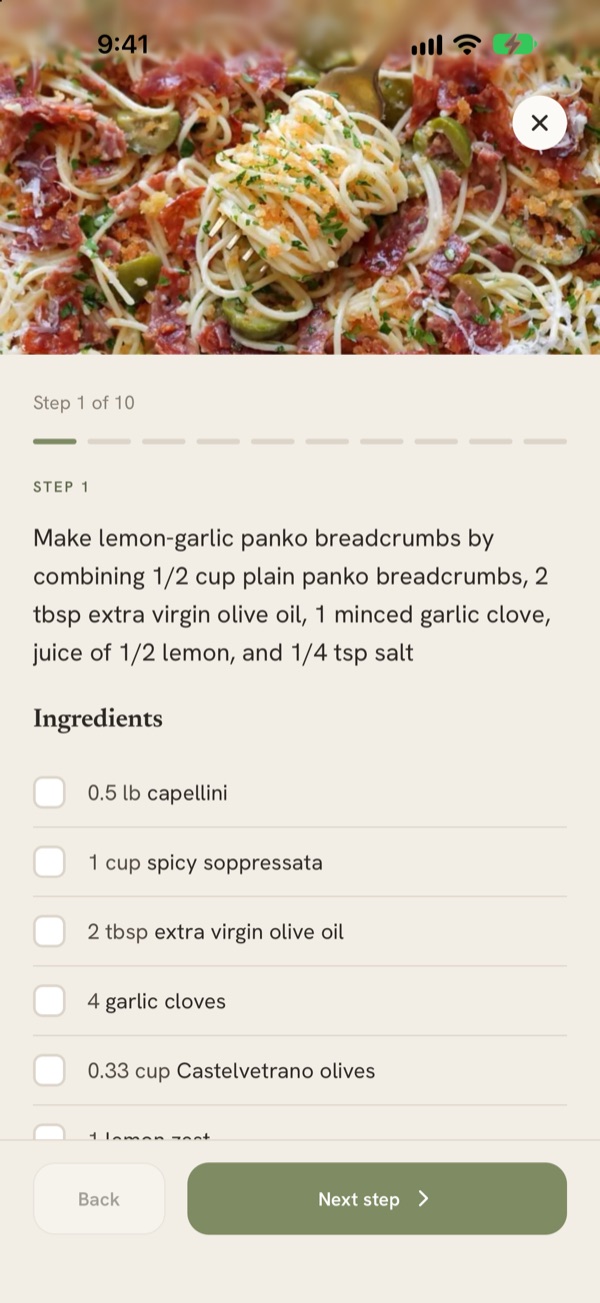
A cooking view built for messy hands. Walk the steps one at a time and tick off ingredients as you go, without losing your place.

Plan your week

Drop recipes onto days to build the week ahead, then mark them made as you cook. Everyone in a shared collection sees the same plan.

Search, tags & categories

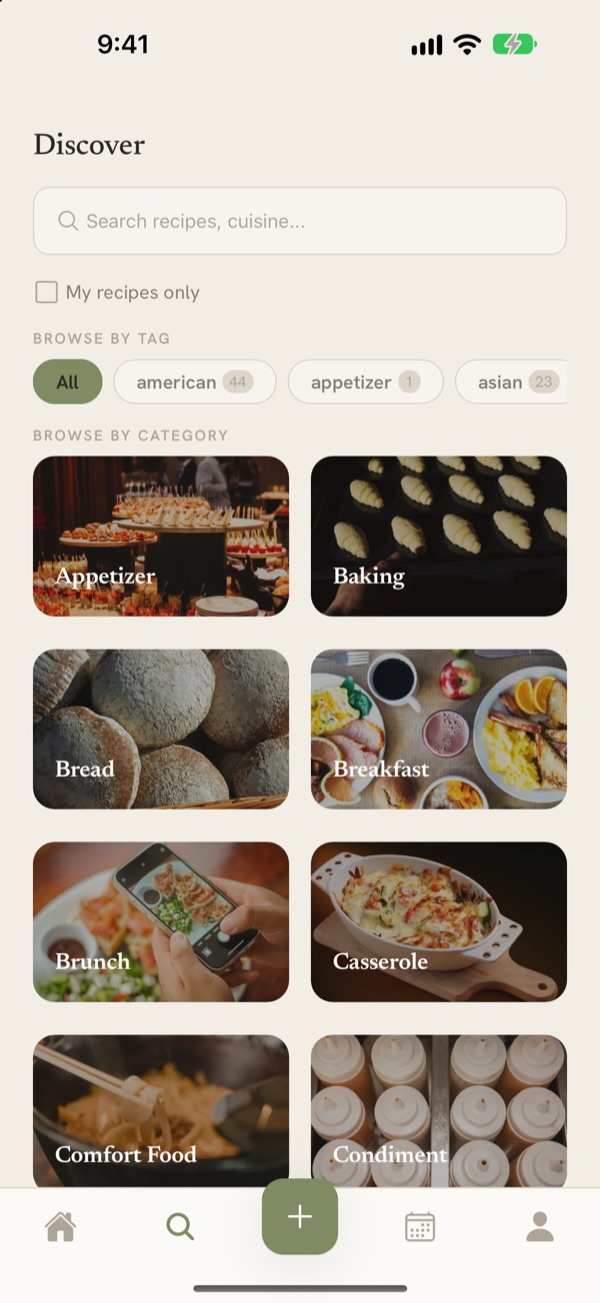
Find any recipe by title, ingredient, cuisine, or description. Cuisine and category tags are added on import, and you can add your own.

Nutrition at a glance

Calories, protein, carbs, fat, fiber, and sodium are pulled from the recipe source whenever available — and you can enter them yourself.

Credit where it’s due

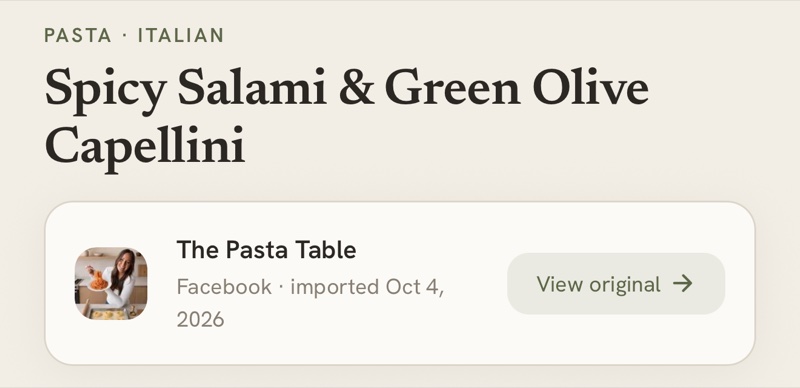
Every imported recipe keeps its source: the creator’s name and photo, the site it came from, and a link straight back to the original.

No password to forget

Sign in with a passkey or a magic link — or skip the account entirely and try the app as a guest before you commit to anything.

Everything syncs across iOS, Android, and the web, and the app follows your device’s light or dark appearance automatically.

Save it, cook it,
plan the week around it

1

Save it from anywhere

Paste a link from any cooking site or food blog. Tap share in Safari or Chrome and pick The Recipe Organizer. Send over a TikTok, Instagram, or Facebook post and paste its caption. Or write the recipe yourself, the way your family actually makes it.

2

Cook from it, hands-free

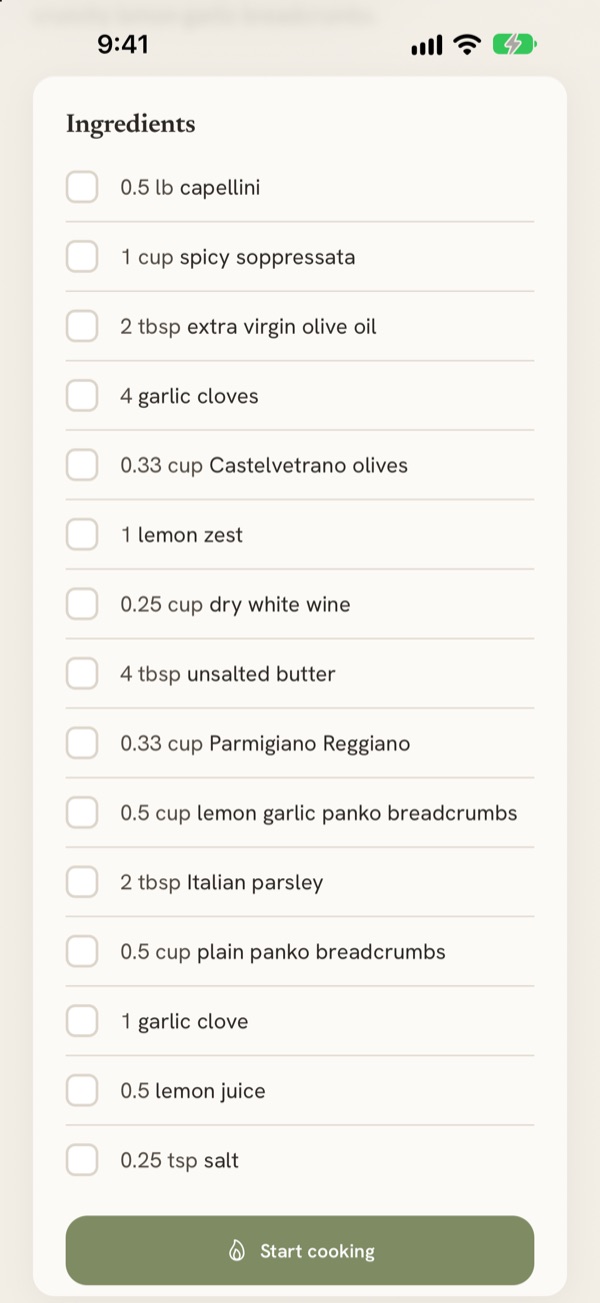
Ingredients, steps, cook times, servings, and nutrition are all extracted and laid out. Open cook mode to go step by step, ticking off ingredients as you add them — no pinching, scrolling, or hunting for where you left off.

3

Plan the week ahead

Drop the recipes you want onto the days you’ll cook them, and mark each one made as you go. Share the collection and everyone cooking with you sees the same plan, on their own phone or in a browser.

Recipes are better
when they’re shared

Cook from one collection with your household, pass a single recipe to a friend, or publish your best ones for everyone.

One collection, everyone

Invite the people you cook with and share a single collection. Recipes, tags, and the week’s meal plan stay in sync for all of you.

Send a single recipe

Pass one recipe to one person without opening up your whole collection. They can save their own copy, and you decide whether it travels any further.

Discover what others cook

Browse recipes people have published, filtered by category or cuisine, and save any of them straight into your own collection with one tap.

The original creator comes with the recipe

Whenever you save a recipe, we keep a record of where it came from — the creator’s name and photo, their handle and platform for social posts, the site that published it, and a link back to the original page. That credit stays attached when the recipe is shared with a friend or published to the community, so the person who developed it is always one tap away. If you write for a site or post on social, the people who save your recipe can always find their way back to you.

Start building your collection today

Free to download. Works with most recipe sites, and with TikTok, Instagram, and Facebook.